Baseus 100W or UGREEN 145W? For laptop charging?

Choosing between a Baseus 100W charger and a UGREEN 145W power bank depends on your laptop’s power requirements, where you charge it, and how many devices you need to power. Baseus 100W is a practical choice for everyday laptop charging near an outlet, while UGREEN 145W is better for portable charging and compatible high-power laptops.
Baseus 100W vs. UGREEN 145W: Main Differences
The biggest difference is charging power and portability. Baseus 100W wall chargers use electricity from an outlet, while UGREEN’s popular 145W power bank stores energy in a built-in battery. Although both can charge compatible laptops, they serve different purposes.
| Feature | Baseus 100W Wall Charger | UGREEN 145W Power Bank |
|---|---|---|
| Maximum output | Up to 100W | Up to 140W from its main USB-C port |
| Power source | Wall outlet | Built-in battery |
| Battery capacity | Not applicable | 25,000mAh |
| Energy rating | Not applicable | 90Wh |
| Ports | Depends on the model | 2 USB-C and 1 USB-A |
| Best use | Home, office, and desk charging | Travel, commuting, and charging away from outlets |
| Main limitation | Requires an outlet | Has limited stored energy and needs recharging |
| Available |  | |
These specifications refer to a Baseus 100W wall charger and UGREEN’s 145W laptop power bank. Other versions may have different features.
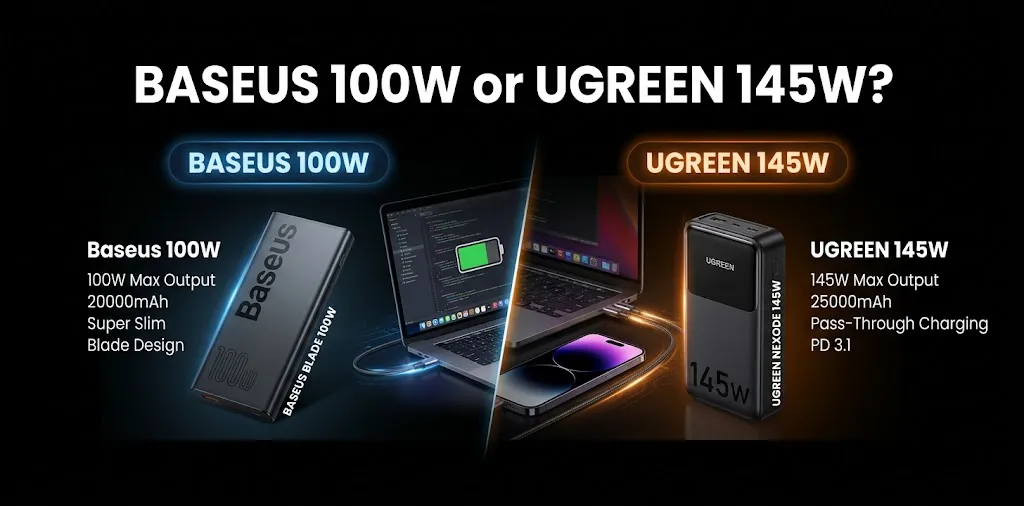
One detail matters: UGREEN advertises 145W as the power bank’s maximum combined output. Its main USB-C port supports up to 140W on its own. That difference is important when choosing a power source for a laptop with high charging requirements.
Which One Charges a Laptop Faster?
UGREEN offers a higher maximum output, but that does not mean it will charge every laptop faster.
Your laptop controls how much power it accepts. For example, if your computer supports a maximum charging rate of 65W, using a compatible 100W or 145W power source will not force it to accept more power than it supports.
When Baseus 100W Is Enough
A 100W charger is suitable for many compatible USB-C laptops, including MacBook Air models, ultrabooks, and business laptops.
It can handle everyday tasks such as:
- Browsing the web
- Writing documents
- Attending video meetings
- Studying or working remotely
- Streaming videos
- Running common productivity apps
For example, if your laptop supports 65W USB-C Power Delivery, a compatible Baseus 100W charger provides enough rated output to meet that requirement. You do not need a 145W power source simply because it offers a higher number.
When UGREEN 145W Has an Advantage
UGREEN’s 145W power bank is more useful when you need portable power for a compatible laptop that supports high-wattage USB-C charging.
Its main USB-C port supports up to 140W, including a 28V/5A output profile. This can benefit compatible laptops that support USB Power Delivery 3.1 and need more than 100W.
Actual charging speed depends on your laptop, cable, battery level, and charging conditions.
For example, imagine you work remotely and use a laptop that supports 140W USB-C charging. If you spend several hours at a location without an outlet, the UGREEN power bank can provide portable power while you work.
However, if your laptop requires a proprietary charging connector or does not support USB-C charging, check compatibility before purchasing either product.
Charging Multiple Devices: Which Is More Practical?
Both brands offer products that can charge multiple devices, but the number of ports and available power depend on the specific model.
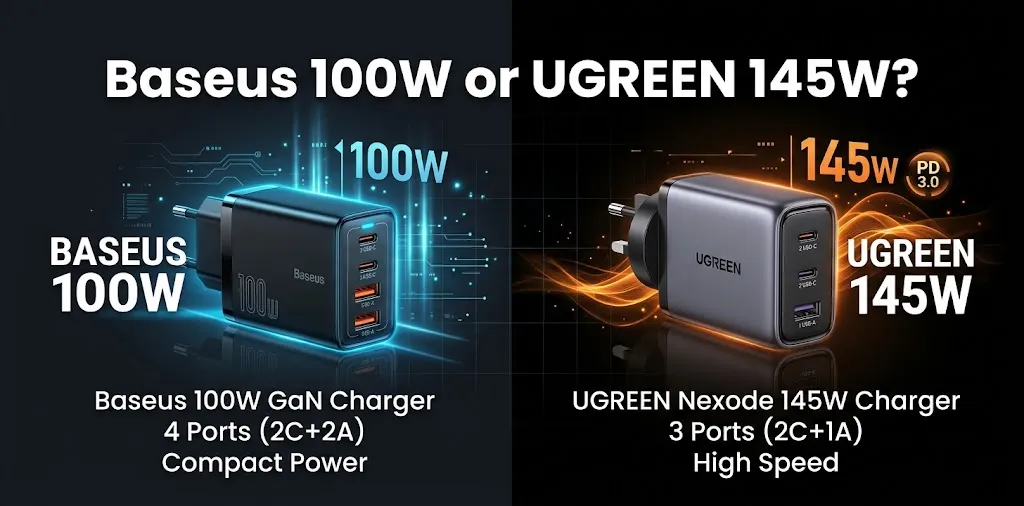
Some Baseus 100W GaN chargers have two USB-C ports and two USB-A ports. UGREEN’s 145W power bank has two USB-C ports and one USB-A port.
Consider these everyday situations:
- Laptop and phone at a desk: A multi-port Baseus wall charger can power both devices without requiring separate adapters.
- Laptop and phone while traveling: The UGREEN power bank lets you charge compatible devices without a wall outlet.
- Laptop and tablet together: Either option may work, but check how much power remains available to your laptop when multiple devices are connected.
Keep in mind that the maximum advertised wattage may not be available to every port at the same time. Connecting multiple devices can change how power is distributed.
Portability, Travel, and Everyday Use
The right choice depends on where you usually charge your laptop.
Choose Baseus for Regular Desk Charging
A wall charger makes sense if you spend most of your time near a power outlet. You can plug it in and continue working without worrying about the charger’s stored battery running low.
A 100W model may also be a convenient replacement for your original laptop adapter if your computer supports compatible USB-C charging.
For students, office workers, and people who mostly use their laptops at home, a Baseus 100W charger can be a straightforward solution.
Choose UGREEN for Charging on the Go
UGREEN’s 145W power bank has a 25,000mAh capacity, a 90Wh energy rating, and a listed weight of approximately 513 grams. It can provide portable power during commutes, travel, or long workdays away from a desk.
The trade-off is its weight and limited stored energy. A power bank eventually needs recharging, and conversion losses mean that not all its rated energy reaches your laptop.
Its 90Wh rating is generally within the standard 100Wh limit for spare lithium-ion batteries carried on many passenger flights. However, airline rules and approval requirements can vary, so check your airline’s current policy before traveling.
Compatibility and Safety: What to Check Before Buying

Wattage is only one part of laptop charging compatibility. Before choosing between Baseus and UGREEN, check these four things.
- Your laptop’s required wattage: Check the original adapter or your laptop manufacturer’s specifications. A laptop designed for 45W or 65W may not benefit from a higher-output charger.
- USB-C Power Delivery support: Confirm that your laptop accepts charging through USB-C. A USB-C-shaped port does not always support power input.
- Cable rating: For charging at up to 100W, use a suitable 5A-rated USB-C cable. Higher-power charging above 100W may require a cable and equipment that support USB Power Delivery 3.1.
- Power sharing: If you plan to charge a laptop and phone together, check the available output for the port combination you intend to use.
Using a higher-wattage charger does not automatically damage a compatible laptop. The laptop and charger negotiate an appropriate power level. The key is to choose a reliable product, a compatible charging standard, and a suitable cable.
Frequently Asked Questions
No. Charging speed depends on your laptop’s maximum supported input, the charging protocol, the cable, and the power source’s available output. A 145W option provides an advantage only when your laptop can use more power than a 100W source supplies.
Is UGREEN 145W better than Baseus 100W for a MacBook Pro?
It depends on your MacBook Pro model and where you need to charge it. Baseus 100W can suit compatible models that accept up to 100W over USB-C, while UGREEN’s power bank can offer more output for compatible higher-power models when you’re away from an outlet.
Can I use a 100W charger for a laptop that came with a 140W adapter?
Possibly, if your laptop supports USB-C Power Delivery and accepts charging from a 100W source. Charging may be slower, and the battery could still drain during demanding tasks, so check your laptop manufacturer’s compatibility guidance.
Is a 145W charger always faster than a 100W charger?
No. Charging speed depends on your laptop’s maximum supported input, the charging protocol, the cable, and the power source’s available output. A 145W option provides an advantage only when your laptop can use more power than a 100W source supplies.
Final Verdict
If you mainly charge a compatible laptop at home, in an office, or at a desk, Baseus 100W is a practical choice. It provides enough power for many everyday laptops without requiring you to carry a power bank.
If you need to charge a compatible high-power laptop away from an outlet, UGREEN’s 145W power bank is the better fit. Its main USB-C port supports up to 140W, and its built-in battery provides portable power.
My expert tip: Check your laptop’s original adapter wattage before making a decision. If your laptop needs only 65W, you may not need a 145W power bank. If you travel often and your laptop supports charging above 100W, UGREEN may be worth considering.
Your next step is to check your laptop model and charging requirements, then decide whether you need a wall charger or a portable power bank.