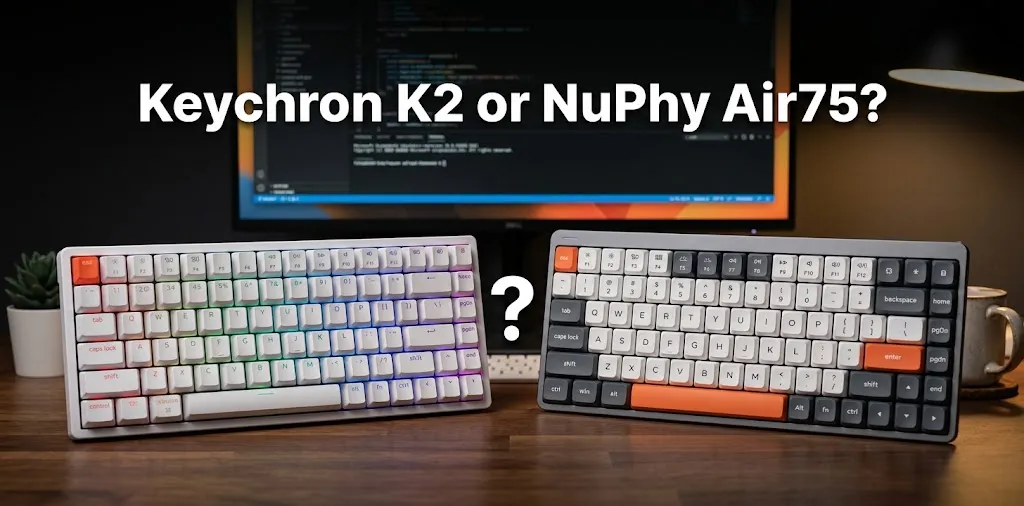
Keychron K2 or NuPhy Air75? For Mac typing?

The Keychron K2 and NuPhy Air75 are both compact wireless keyboards that work with Mac computers, but they offer different typing experiences. The Keychron K2 is a better fit for users who prefer a traditional mechanical keyboard with taller keys, while the NuPhy Air75 is designed for people who want a slimmer keyboard with low-profile switches. Your best choice depends on typing comfort, desk space, portability, and how much you enjoy the feel of mechanical keys.
Keychron K2 vs. NuPhy Air75: Main Differences
Both keyboards use a compact 75% layout, which keeps the function row, arrow keys, and most navigation keys while taking up less desk space than a full-size keyboard. The biggest difference is the key profile: the K2 uses a traditional, taller mechanical design, while the Air75 uses low-profile mechanical switches.
| Feature | Keychron K2 | NuPhy Air75 V2 |
|---|---|---|
| Best for | Traditional mechanical typing | Slim, low-profile typing |
| Layout | Compact 75% | Compact 75% |
| Key feel | Taller keys with more travel | Shorter key travel |
| Mac compatibility | Yes | Yes |
| Wireless | Bluetooth | Bluetooth and 2.4 GHz |
| Wired connection | USB-C | USB-C |
| Hot-swappable switches | Available on compatible versions | Yes |
| Keycap material | ABS on standard V2; varies by version | Double-shot PBT |
| Battery | 4,000 mAh on K2 V2 | 4,000 mAh |
| Portability | Heavier, taller design | Slimmer and easier to carry |
| Available |  | |
These specifications refer to the classic Keychron K2 V2 and NuPhy Air75 V2. Newer versions may differ.
Typing Comfort: Which Feels Better for Long Mac Sessions?
Typing comfort is personal, but the difference in key height can help you narrow down your choice. The K2 offers the familiar feel of a traditional mechanical keyboard, while the Air75 has a flatter profile that may feel more natural if you’re used to a laptop keyboard.
Keychron K2: A Traditional Mechanical Typing Experience
The Keychron K2 is a good choice if you enjoy a more pronounced mechanical feel. Its taller keycaps and switches provide more travel than a low-profile keyboard, giving each keystroke a more substantial feel.
You can choose between different switch types, depending on the version:
- Red: Linear keystrokes without a tactile bump.
- Brown: Tactile feedback without the pronounced click of a Blue switch.
- Blue: A distinct tactile bump and audible click.
The K2 can work well for writing reports, coding, composing emails, and typing long documents. However, its height may feel less comfortable if you’re accustomed to typing directly on a MacBook keyboard. You may want a wrist rest to help keep your hands in a comfortable position.
NuPhy Air75: A Slimmer Typing Experience
The NuPhy Air75 is designed for people who want mechanical switches without the height of a traditional mechanical keyboard. Its low-profile design and sculpted keycaps make it an appealing option for everyday Mac typing.
The shorter key travel can feel familiar to someone moving from a laptop keyboard, although it is still a mechanical keyboard and won’t feel exactly like Apple’s built-in keyboard. You may also need a little time to adjust to the different key shape and spacing.
The Air75 V2 offers low-profile linear, tactile, and clicky switch options, so you can choose the response that suits your typing style.
Typing comfort winner: The Air75 is the stronger starting point for MacBook users who prefer a slim keyboard. Choose the K2 if you specifically enjoy taller mechanical keys and deeper key travel.
Which Keyboard Works Better With macOS?
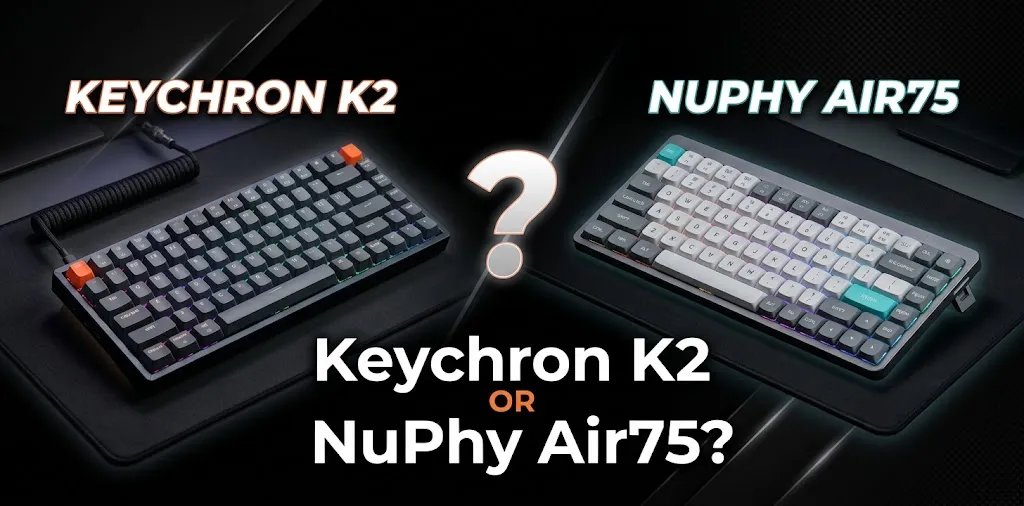
Both keyboards support macOS and provide compact layouts that preserve important keys for everyday work. Neither requires you to abandon the standard Mac keyboard shortcuts you already use.
The Keychron K2 includes Mac-oriented keycaps and a physical operating-system switch on supported versions. This makes it convenient if you regularly move between a Mac and a Windows computer.
The NuPhy Air75 V2 also supports macOS, Windows, Linux, and mobile operating systems. Its compact layout includes the function row and arrow keys, making it practical for common Mac tasks. Check the exact version and included keycaps before ordering, especially if you want clearly labeled Command and Option keys.
For everyday Mac work, both can handle tasks such as:
- Using Command+C and Command+V to copy and paste.
- Switching apps with Command+Tab.
- Writing and editing documents.
- Navigating code editors and spreadsheets.
- Controlling media with dedicated function keys.
The choice comes down more to typing feel and design than basic macOS compatibility.
Wireless Connectivity and Battery Life
If you use your keyboard with a MacBook, iMac, or multiple devices, connectivity can affect your daily workflow.
The classic Keychron K2 V2 connects through Bluetooth or USB-C and can pair with up to three Bluetooth devices. Its 4,000 mAh battery is rated for up to 240 hours with the backlight off, although real battery life depends on usage.
The NuPhy Air75 V2 supports Bluetooth, 2.4 GHz wireless, and USB-C wired connections. Its 4,000 mAh battery is rated for approximately 35–57 hours with all lights on, or up to 220 hours with the lights off, based on the manufacturer’s lab tests.
| Your priority | Better fit |
|---|---|
| Switching among several Bluetooth devices | Keychron K2 |
| Having a 2.4 GHz wireless option | NuPhy Air75 V2 |
| Long battery life with backlighting off | Keychron K2, based on advertised figures |
| Using a wired connection | Both |
For typical office work, either keyboard should be suitable. If you prefer wireless typing without a USB receiver, both offer Bluetooth. If you want a separate 2.4 GHz receiver for your desktop setup, the Air75 has the advantage.
Desk Space, Build Quality, and Portability
The K2 has a traditional keyboard profile and a compact footprint, but its taller keys can make it feel bulkier on a desk. The Air75 is much slimmer, which can make it easier to slide into a laptop bag or use in a smaller workspace.
The Air75 V2 weighs approximately 598 grams and measures about 12.5 × 5.2 × 0.59 inches. The Keychron K2 V2 weighs approximately 663 grams with a plastic frame or 794 grams with an aluminum frame. Exact dimensions vary by version.
For material quality, the Air75 V2 combines an aluminum frame with an ABS bottom case and double-shot PBT keycaps. The classic K2 V2 uses a plastic case or an aluminum-frame option, with ABS keycaps. The K2’s hot-swappable feature is available on compatible versions, and the Air75 V2 also supports hot-swapping.
Price and Value: Is the NuPhy Air75 Worth Paying More For?

The right value depends on the specific version and its current selling price. The classic Keychron K2 has historically occupied a more budget-friendly category, while the NuPhy Air75 is positioned as a slim, design-focused mechanical keyboard. Actual US prices vary by version, switch choice, and retailer.
The K2 may be the better purchase if you want mechanical typing, Mac compatibility, and a long advertised battery life without spending extra on a slim design.
The Air75 may justify a higher price if you value its low profile, PBT keycaps, lighter build, and 2.4 GHz wireless connectivity.
Before buying, compare the exact models rather than relying on the product names alone. The Keychron K2 V2, K2 Version 3, and newer K2 variants have different specifications. NuPhy’s Air75, Air75 V2, and Air75 V3 also differ in features and design.
Which Keyboard Should You Choose for Your Mac?
Your daily typing habits are the best guide to this decision.
- Choose the Keychron K2 if you prefer traditional mechanical keys, want a more substantial typing feel, and mainly work at a desk.
- Choose the NuPhy Air75 if you prefer low-profile keys, want a slim keyboard for a MacBook setup, or frequently move between workspaces.
- Consider your switch choice carefully. A quiet linear switch, a tactile switch, and a loud clicky switch can produce very different experiences, even on the same keyboard.
For example, someone who writes articles for several hours a day at a fixed desk may enjoy the K2’s taller keys. Someone who carries a MacBook between home, an office, and a coffee shop may appreciate the Air75’s slim profile.
Neither keyboard automatically makes you type faster. Your familiarity with the layout, the switch response, and your hand position matter more than the brand name.
Frequently Asked Questions
Choosing between the Keychron K2 and NuPhy Air75 for Mac typing can raise a few questions about comfort, compatibility, typing noise, and everyday use. Here are answers to common questions to help you decide which keyboard best fits your needs.
Is the Keychron K2 or NuPhy Air75 better for MacBook users?
The NuPhy Air75 is a strong choice if you want a slim mechanical keyboard that complements the MacBook’s low-profile design. The Keychron K2 is better if you prefer traditional mechanical keys and a more substantial typing feel.
Is the NuPhy Air75 quieter than the Keychron K2?
The Air75’s low-profile switches may produce a different sound, but neither keyboard is guaranteed to be quiet. Noise depends on the switch type, keycaps, typing force, and desk surface; choose a quieter switch option if you work in a shared office.
Can I use the Keychron K2 and NuPhy Air75 with both Mac and Windows?
Yes. Both support macOS and Windows, and their compatible versions include ways to accommodate each operating system. Check the included keycaps and operating-system controls for the specific model you plan to buy.
Final Verdict
For most Mac users who want a slim, modern mechanical keyboard, the NuPhy Air75 is the better fit for low-profile typing and portability. The Keychron K2 wins for users who prefer traditional mechanical keys and a more substantial typing experience.
My practical tip: before choosing, decide whether you prefer the short travel of laptop-style keys or the deeper travel of traditional mechanical switches. That single preference can make a bigger difference to your daily typing comfort than most other features.