RK61 or Epomaker TH80 Pro? For quiet office?

If you need a mechanical keyboard for a quiet office, the Epomaker TH80 Pro is generally the better choice for typing comfort and productivity, while the RK61 is a good option if you want a compact, budget-friendly keyboard. However, neither keyboard is automatically silent. Your switch type, typing style, and desk setup all affect how much noise your coworkers hear.
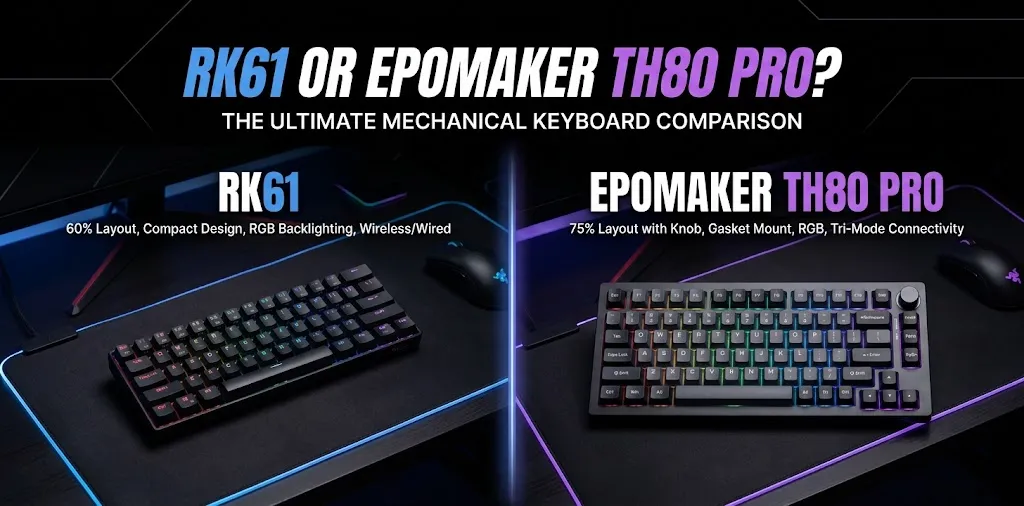
RK61 vs Epomaker TH80 Pro: Key Differences
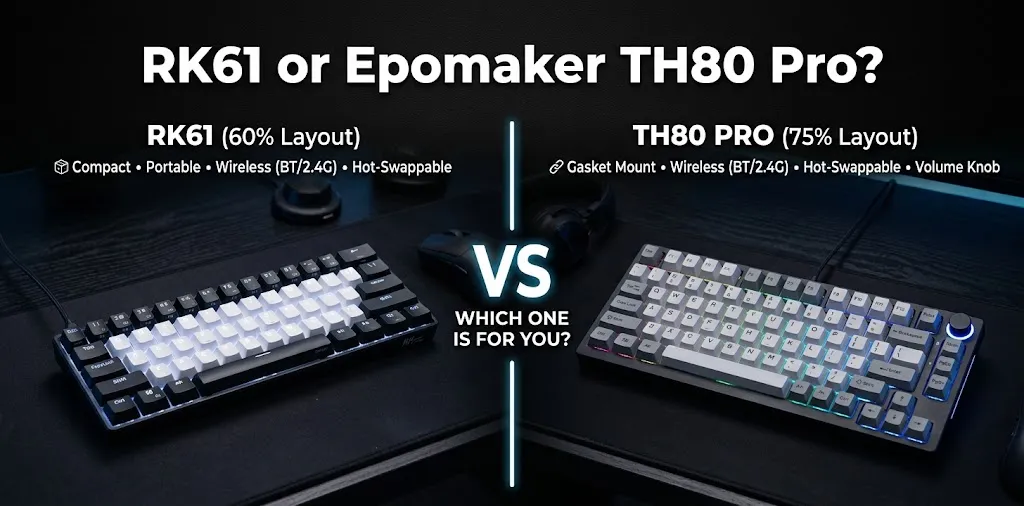
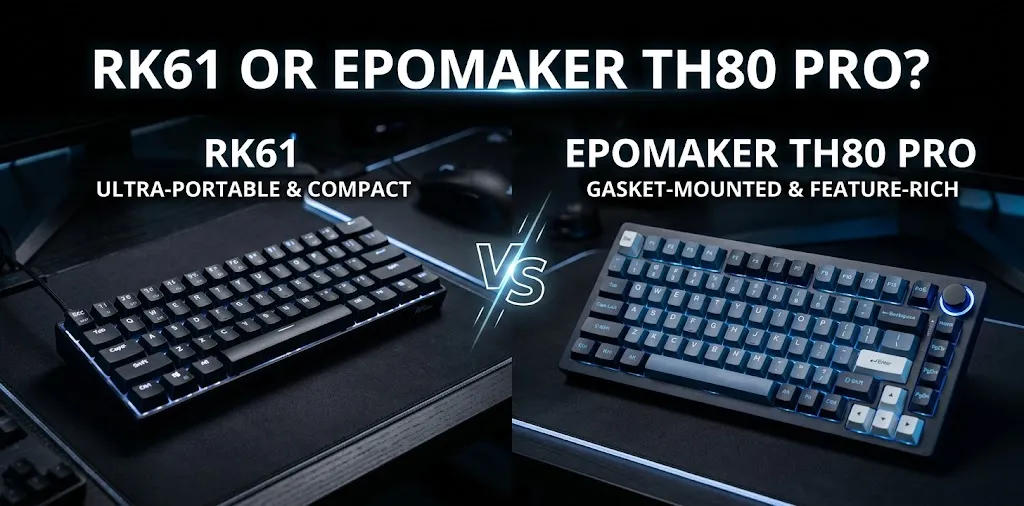
The biggest differences are size, typing comfort, dedicated keys, and customization. The RK61 uses a compact 60% layout, while the TH80 Pro uses a larger 75% layout with dedicated function and arrow keys. Both have versions with wireless connectivity, but exact features depend on the model.
| Feature | RK61 | Epomaker TH80 Pro |
|---|---|---|
| Keyboard layout | 60%, typically 61 keys | 75%, typically around 80 keys |
| Desk space | Excellent | Good |
| Dedicated arrow keys | Usually accessed through a function layer | Yes |
| Function row | Requires key combinations | Dedicated function keys |
| Wireless options | Vary by version | Bluetooth and 2.4 GHz on wireless versions |
| Switch customization | Depends on the version | Hot-swappable on the standard TH80 Pro kit |
| Office suitability | Good with suitable switches | Good with suitable switches |
| Best reason to buy | Compact size and affordability | Productivity and easier navigation |
| Available |  | |
Which Keyboard Is Quieter in an Office?
Neither model is guaranteed to be quieter in every configuration. The switches you choose matter more than the keyboard’s size. Linear switches without a loud click mechanism are generally a better starting point than clicky blue switches. However, even linear switches can make noise when the keys hit the bottom of their travel.
RK61: Best with Quiet Linear Switches
The RK61 is a practical option for a shared office if you want a small keyboard that leaves plenty of room for your mouse and other desk items.
Its sound depends on the version and switches installed. Red linear switches are generally a better choice for a quiet workspace than blue clicky switches. If you buy a hot-swappable version, you may be able to replace the original switches with compatible silent switches.
Keep in mind that some RK61 versions are not hot-swappable. Check the exact model before purchasing replacement switches.
Epomaker TH80 Pro: Better for a Comfortable Daily Workflow
The TH80 Pro provides dedicated arrow keys and a function row, which can make writing, editing documents, and working with spreadsheets easier.
Its design includes internal sound-dampening materials, but that does not make every configuration silent. Some versions can still produce noticeable typing noise, so do not choose this keyboard based on its case design alone.
If your office has strict noise rules, look for a compatible silent linear switch rather than assuming the stock switches will be quiet enough.
Which Is Better for Everyday Office Work?
The right choice depends on how you work throughout the day.
Choose the RK61 If You Have a Small Desk
The RK61 makes sense if you use a laptop, work with limited desk space, or prefer a compact setup.
For example, imagine that you work at a shared desk with a laptop stand, mouse, and notebook. The RK61 takes up less space, leaving more room for your other equipment. However, you will need to learn its function-key combinations to access some keys that larger keyboards provide directly.
Choose the TH80 Pro If You Type and Navigate Documents All Day
The TH80 Pro is more convenient if your work involves writing reports, editing spreadsheets, coding, or using arrow keys frequently.
For example, if you regularly move through spreadsheet cells or edit long documents, dedicated arrow keys and a function row can reduce the need to remember key combinations. The trade-off is a larger footprint, and you may want a suitable wrist rest depending on your desk setup.
How to Make Either Keyboard Quieter
If you already own one of these keyboards, you may not need to replace it. A few changes can reduce typing noise.
- Use silent switches: Silent linear switches have built-in dampening that reduces noise as the keys move and return. Confirm compatibility before buying replacements.
- Avoid clicky switches: Blue clicky switches produce an extra sound with each keystroke, making them a poor fit for a quiet shared office.
- Add a desk mat: A thick desk mat can help reduce vibrations between the keyboard and desk.
- Type with a lighter touch: Pressing keys hard against the bottom of their travel can create extra noise, even with relatively quiet switches.
- Check the spacebar: Large keys can rattle more than regular keys. Proper stabilizer tuning can help, although it may require some keyboard experience.
One important distinction: a keyboard marketed as having a creamy or deep sound is not necessarily quiet. If low noise is your main goal, prioritize switches specifically labeled silent.
Price and Value: Which One Makes More Sense?
The RK61 is positioned as a budget-friendly compact keyboard, while the TH80 Pro offers a larger layout and more convenient access to common office keys. Actual prices vary by version, seller, and sale.
| Your priority | Better choice |
|---|---|
| Spending less | RK61 |
| Saving desk space | RK61 |
| Dedicated arrow keys | TH80 Pro |
| Working with documents all day | TH80 Pro |
| Customizing typing noise | Either, if hot-swappable |
| Getting the quietest possible typing | Choose a version with compatible silent switches |
Before buying, compare the exact switch options and hot-swap support rather than relying only on the model name. A less expensive keyboard with suitable silent switches may be a better office choice than a more expensive model with noisy switches.
Frequently Asked Questions
Still deciding between the RK61 and Epomaker TH80 Pro for your office? These frequently asked questions cover typing noise, silent switch compatibility, and the key differences to help you choose the right keyboard for a quieter and more comfortable workspace.
Is the RK61 Too Loud for a Shared Office?
Not necessarily. An RK61 with linear or compatible silent switches can work well in a shared office, but blue clicky switches are more likely to distract nearby coworkers. Check the exact version because switch options and hot-swap support vary.
Is the Epomaker TH80 Pro Silent Enough for an Office?
It can be suitable for ordinary office use, but standard TH80 Pro configurations are not guaranteed to be silent. If your workplace is especially noise-sensitive, consider a configuration with dedicated silent switches.
Can I Replace the RK61 Switches with Silent Switches?
Yes, if you have a hot-swappable RK61 version and choose compatible switches. Some versions are not hot-swappable, so verify your specific model before purchasing replacement parts.
Final Verdict
For most people who type throughout the workday, the Epomaker TH80 Pro is the better overall office keyboard because its 75% layout provides dedicated arrow keys and a function row without taking up as much room as a full-size keyboard.
The RK61 is the better budget and space-saving option if you are comfortable using function-key combinations. Neither is the automatic winner for quietness; the switch configuration matters most.
Expert tip: If your office has strict noise expectations, test a keyboard with silent switches before committing to a purchase. Listen for the spacebar and the sound of keys hitting the bottom, not just the switch’s click.