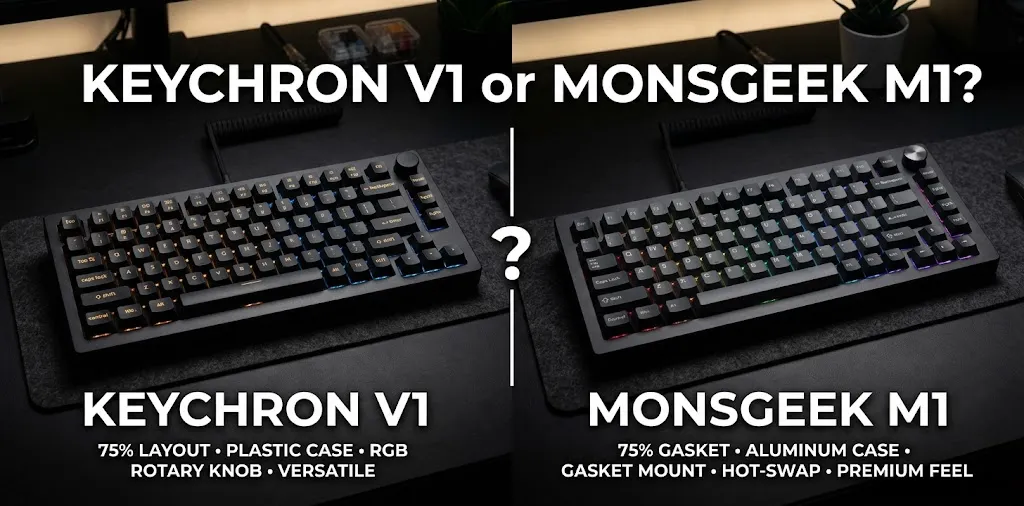
Keychron V1 or MonsGeek M1? For beginner custom?

If you’re building your first custom mechanical keyboard, the Keychron V1 is the easier starting point for most beginners, while the MonsGeek M1 is a strong choice if you want a heavier aluminum case and a more premium feel. Your best option depends on your budget, preferred layout, typing sound, and how much assembly you want to handle.
Key Differences Between the Keychron V1 and MonsGeek M1
Both keyboards use a compact 75% layout, which keeps the function row, arrow keys, and most navigation keys while taking up less desk space than a full-size keyboard. The biggest difference is the build: the original Keychron V1 uses a plastic case and tray-mount design, while the MonsGeek M1 uses a CNC-machined aluminum case and gasket mount.
| Feature | Keychron V1 | MonsGeek M1 |
|---|---|---|
| Layout | 75% | 75% |
| Case material | ABS plastic | CNC-machined aluminum |
| Mounting style | Tray mount | Gasket mount |
| Switches | Hot-swappable | Hot-swappable |
| Keycaps | Included with assembled versions | Depends on the package |
| Software | QMK and VIA | Depends on the version |
| Connection | Wired USB-C | Wired USB-C |
| Rotary knob | Available on select versions | Included on standard M1 layouts |
| Best for | First-time custom keyboard users | Aluminum construction and customization |
| Available |  | |
Specifications can vary by revision and package, so check the exact model before purchasing.
Which Keyboard Is Easier for a Beginner to Build?
The Keychron V1 is generally the simpler choice if you want a custom keyboard without turning your first purchase into a large project. You can buy the fully assembled version and start typing right away, or choose the barebone version if you want to select your own switches and keycaps.
The MonsGeek M1 is better suited to beginners who want to learn more about the parts inside a custom keyboard. Its aluminum case, gasket structure, and customizable components give you more room to explore how different parts affect typing feel and sound.
Setting Up the Keychron V1
If you choose the fully assembled V1, most of the work is already done. Connect the USB-C cable, select your preferred operating-system layout, and begin typing. You can later replace compatible switches, change keycaps, or customize key assignments using supported software.
If you choose the barebone version, you’ll need compatible switches and keycaps. Check which components are included in your selected package before buying anything else.
Building the MonsGeek M1
The M1 DIY kit requires more hands-on assembly. Depending on the exact version, you’ll need to install or check the stabilizers, fit the switches, and add the keycaps. Follow the kit’s instructions, especially when handling the PCB and internal layers.
This isn’t an advanced electronics project, but it does require more patience than buying a fully assembled keyboard. If you enjoy building things and learning by doing, that extra work can be part of the appeal.
Typing Feel and Sound: Plastic vs. Aluminum
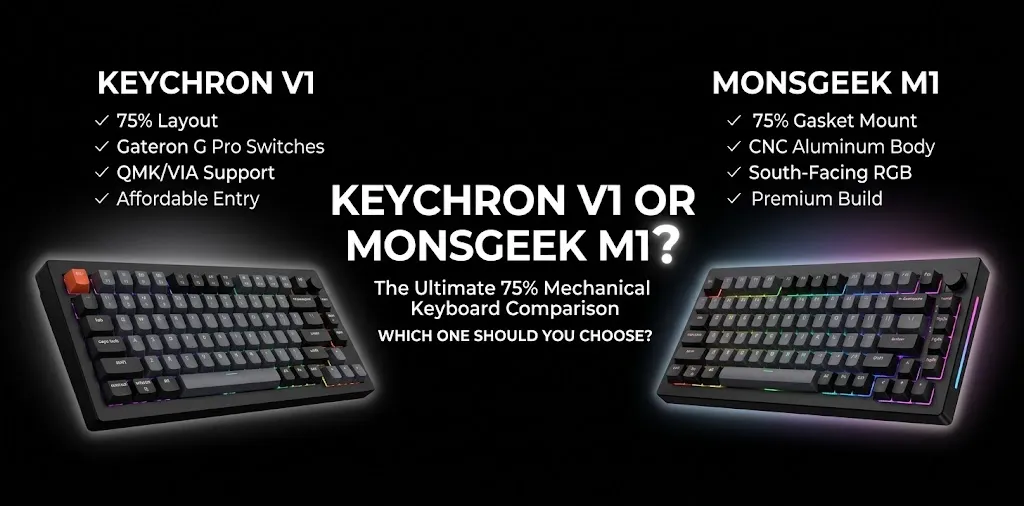
Your keyboard’s case material and mounting style can affect how it feels and sounds, but neither one guarantees a better typing experience. Switch choice, keycaps, stabilizers, internal foam, and the way the keyboard is assembled all matter.
Keychron V1: A Practical Everyday Keyboard
The original V1 combines a plastic case with a steel plate and tray-mount construction. Its typing feel is relatively firm, which can suit people who prefer a stable, direct response when pressing keys.
The included keycaps and switches on assembled versions also make it easier to get started without shopping for every component separately.
For example, imagine you’re a student who types essays, chats with friends, and plays games after school. The V1 offers a compact layout and room for future upgrades without requiring you to learn every part of the custom keyboard hobby on day one.
MonsGeek M1: A More Substantial Custom Build
The M1’s aluminum case gives it a heavier, more solid feel on a desk. Its gasket-mount structure uses cushioning around the plate or assembly to change how the keyboard responds when you type. Depending on the components and setup, it may feel softer and produce a different sound from the V1.
Consider someone who already owns a basic mechanical keyboard and wants to experiment with different switches, stabilizers, and sound profiles. The M1 offers a useful platform for that process, especially if a metal case is high on their wish list.
Neither keyboard is automatically quieter. If you share a room or work around other people, your switch type and typing habits may matter more than the case material. A tactile or clicky switch can sound quite different from a quiet linear switch in either board.
Customization and Software

Both models support hot-swappable switches, allowing you to replace compatible switches without soldering. This makes them more beginner-friendly than keyboards that require soldering to change switches. However, hot-swapping does not mean every switch or accessory will fit every configuration.
Programming Keys and Shortcuts
The original Keychron V1 supports QMK and VIA, which let you change key assignments, create shortcuts, and set up macros. This is useful if you want a dedicated key for opening an app, controlling media, or triggering a frequently used command.
The MonsGeek M1 requires a little more attention to the specific version you’re buying. Some versions support QMK/VIA, while others use MonsGeek’s own driver. Confirm software compatibility before ordering if custom keymaps are important to you.
Switches and Keycaps
Both keyboards give you room to personalize your setup.
- Switches: Linear switches feel smooth, tactile switches provide a noticeable bump, and clicky switches produce an audible click.
- Keycaps: Different materials, profiles, colors, and legends can change the keyboard’s appearance and feel.
- Stabilizers: These support larger keys such as the spacebar and Enter key. Their quality and tuning can affect unwanted rattle.
- Sound tuning: Foam and other internal materials can change the sound, but adding more foam does not always improve it.
For your first build, start with a switch type you enjoy and a compatible set of keycaps. You don’t need to buy modification supplies before you’ve tried the keyboard in its original configuration.
Price and Overall Value
The right value comparison depends on whether you want a ready-to-use keyboard or a barebone kit. The fully assembled Keychron V1 includes switches and keycaps, while the barebone version does not. The MonsGeek M1 is commonly sold as a DIY kit, so additional parts may be needed.
| Cost factor | Keychron V1 | MonsGeek M1 |
|---|---|---|
| Initial purchase | Often lower for the original V1 | Typically higher for the aluminum kit |
| Switches and keycaps | Included in assembled versions | Check the selected package |
| Assembly effort | Minimal when fully assembled | More hands-on with a DIY kit |
| Upgrade spending | Optional | Optional |
| Main value | Easy entry into customization | Aluminum construction and custom-build flexibility |
Prices change with sales, stock, and product revisions, so compare current US prices rather than relying on a fixed estimate.
A useful way to budget is to calculate the total cost of the keyboard, switches, keycaps, shipping, and any tools or accessories you still need. A cheaper barebone kit may not be the cheaper finished keyboard once all the parts are included.
Which One Should You Buy for Your First Custom Keyboard?
The best choice depends on what you want to learn and how much work you want to do before using your keyboard.
Choose the Keychron V1 If:
- You want a straightforward first mechanical keyboard with customization options.
- You prefer buying a fully assembled board and upgrading it over time.
- You want QMK/VIA support without spending time checking several M1 variants.
- You prefer a lighter plastic case over a heavy aluminum one.
- You want to keep the initial purchase and setup relatively simple.
Choose the MonsGeek M1 If:
- You specifically want an aluminum case.
- You enjoy assembling components and learning how a custom keyboard works.
- You care about exploring gasket-mount typing feel and sound.
- You want a sturdy keyboard that stays on your desk.
- You have checked that your chosen version supports the software and accessories you need.
One practical point: both are wired keyboards in their original configurations. If you need Bluetooth or 2.4 GHz wireless connectivity, verify the exact model rather than assuming a newer or similarly named version has the same features.
Frequently Asked Questions
If you’re choosing between these keyboards for your first custom build, these answers address a few common concerns.
Is the Keychron V1 Good for a First Custom Keyboard?
Yes. The Keychron V1 is a solid starting point because its fully assembled version is ready to use, and its hot-swappable switches let you experiment later without soldering. Its QMK/VIA support also gives you room to learn keyboard customization as your needs change.
Is the MonsGeek M1 Worth the Extra Cost Over the Keychron V1?
The M1 can be worth the extra cost if you value its aluminum case, gasket-mount design, and hands-on building experience. The V1 is usually the more practical option if you want to spend less time assembling parts and more time using your keyboard.
Which Keyboard Sounds Better, the Keychron V1 or MonsGeek M1?
There is no universal winner because sound depends on the switches, keycaps, stabilizers, internal materials, and assembly. The M1’s aluminum case and gasket mount give it a different acoustic character, while the V1 offers a more straightforward plastic-case design.
Final Verdict
The Keychron V1 is my pick for most beginners, while the MonsGeek M1 wins for those who specifically want an aluminum custom keyboard.
Choose the V1 if you want an easier, more affordable entry into the hobby with useful customization options. Choose the M1 if building and tuning your keyboard is part of the fun, not just a step before typing.
Expert tip: Before buying either one, decide whether you want a complete keyboard or a barebone kit. Then compare the total cost of the finished build, not just the price shown on the product page.